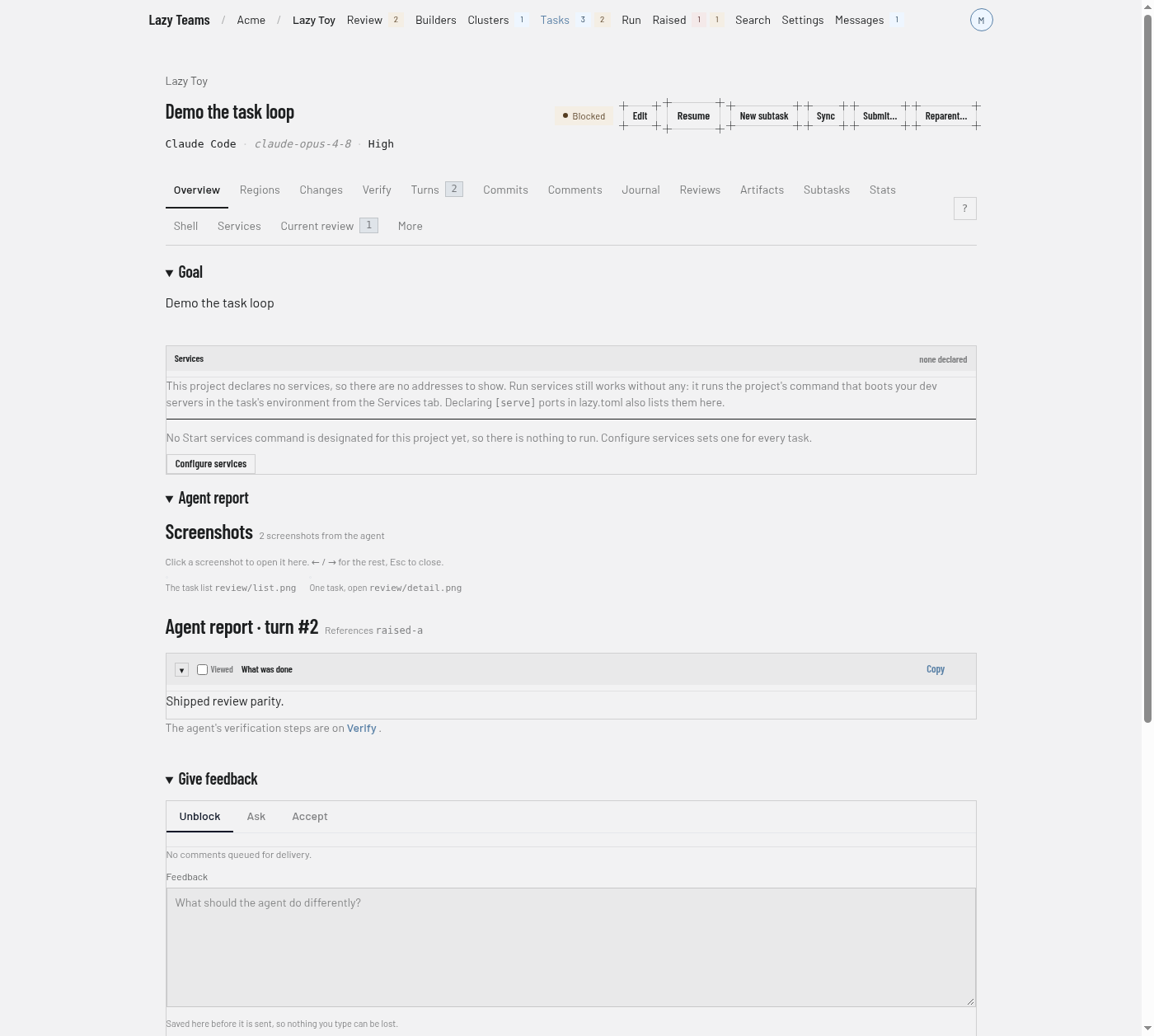
How to give feedback to a task
You need this when an agent has stopped and is waiting for you, and you want it to carry on with different instructions. Feedback has two parts: an unblock, which sends a message and starts the next turn, and comments, which are notes that wait for that unblock.
How the agent sees both is explained in Tasks and turns.
How notes reach the agent
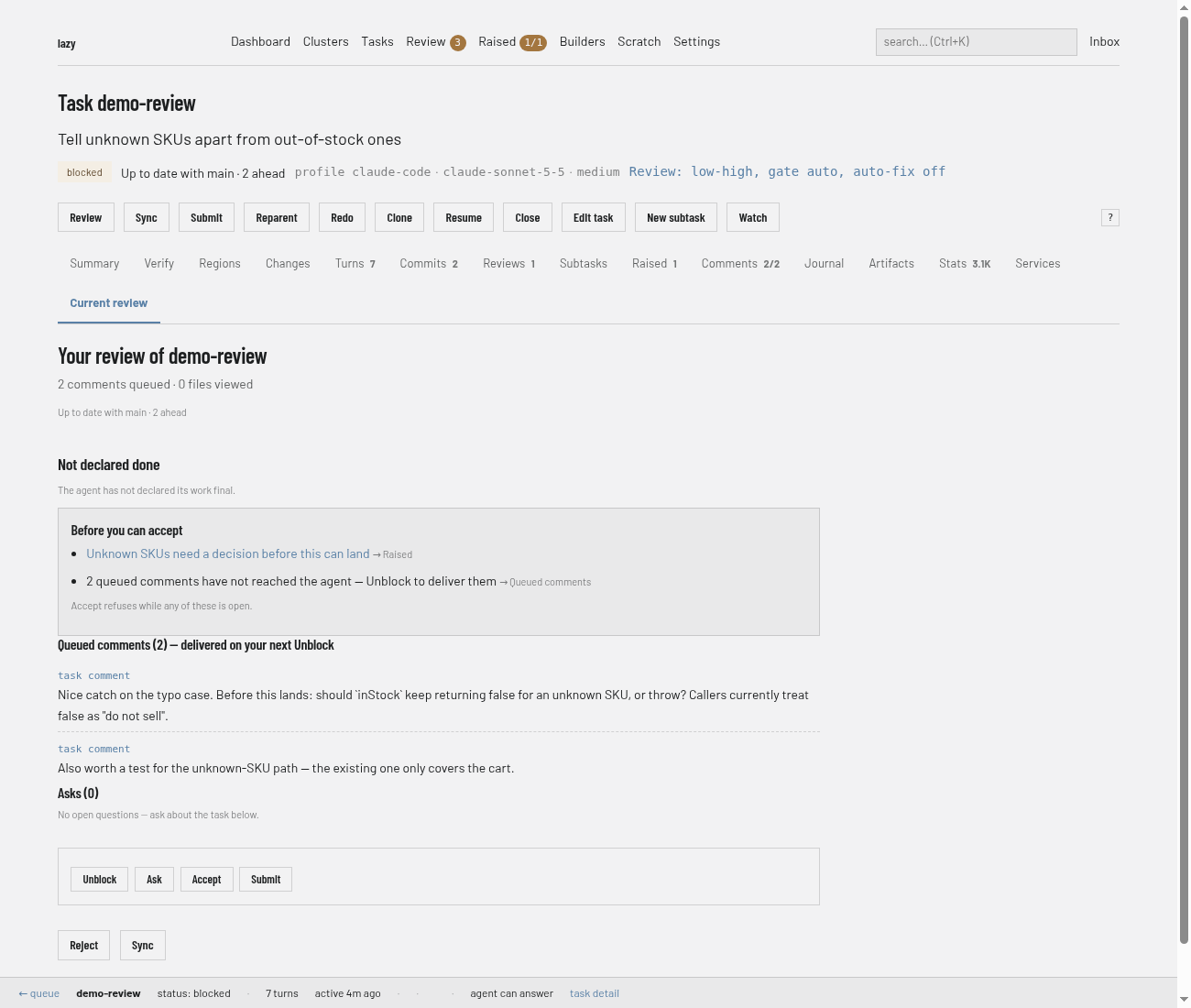
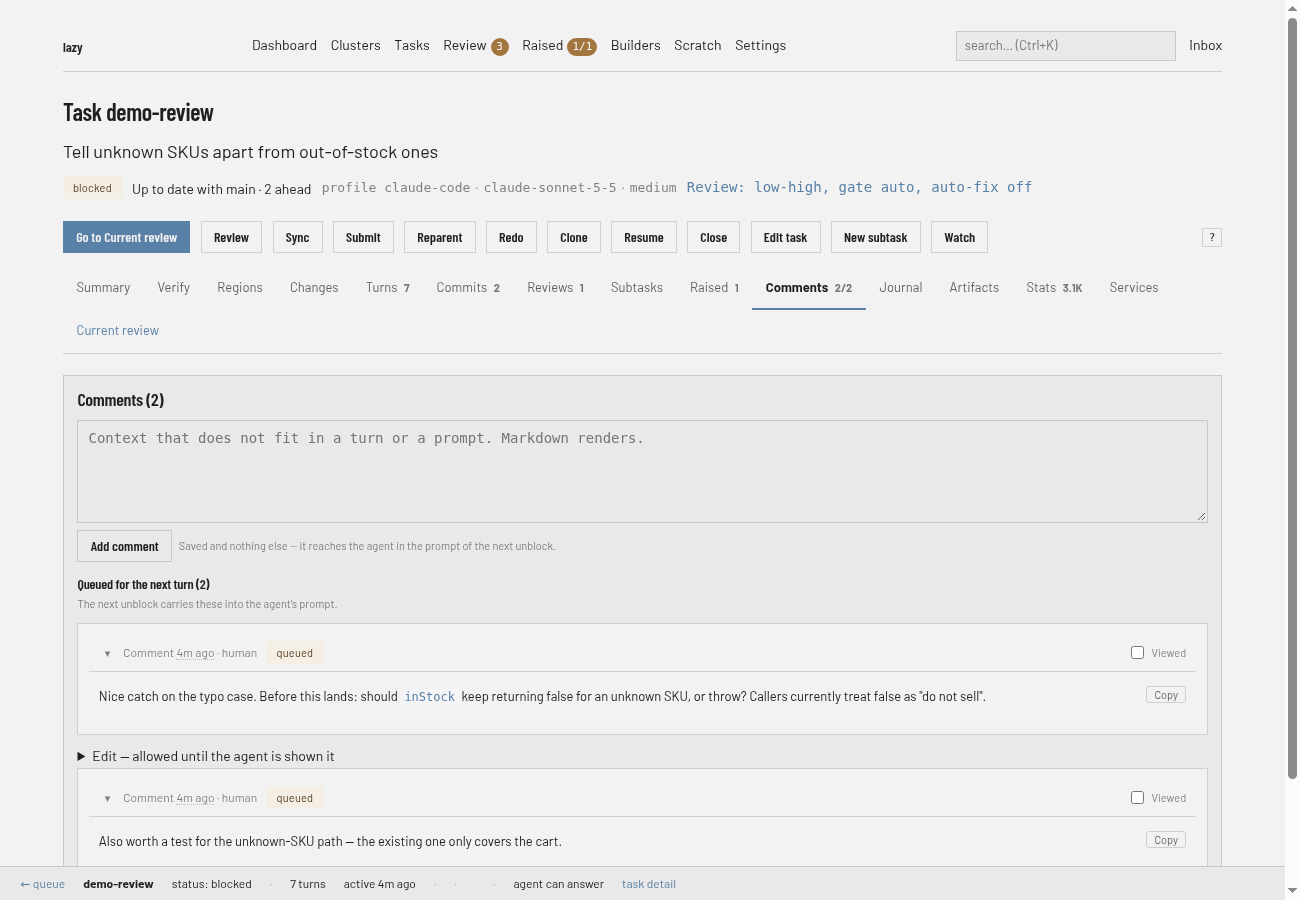
A comment is saved and nothing else: it never starts a turn. It reaches the agent in the prompt of the next unblock, together with your feedback. Asking the agent a question (lazy ask) and syncing do not carry comments and do not use them up. Comments you write while a turn is running are handed to that same turn before it ends.
Dashboard
Open the task and go to its Current review tab. It lists the comments queued for the agent and the buttons that act on them: Unblock, Ask, Accept, Submit, Reject and Sync.
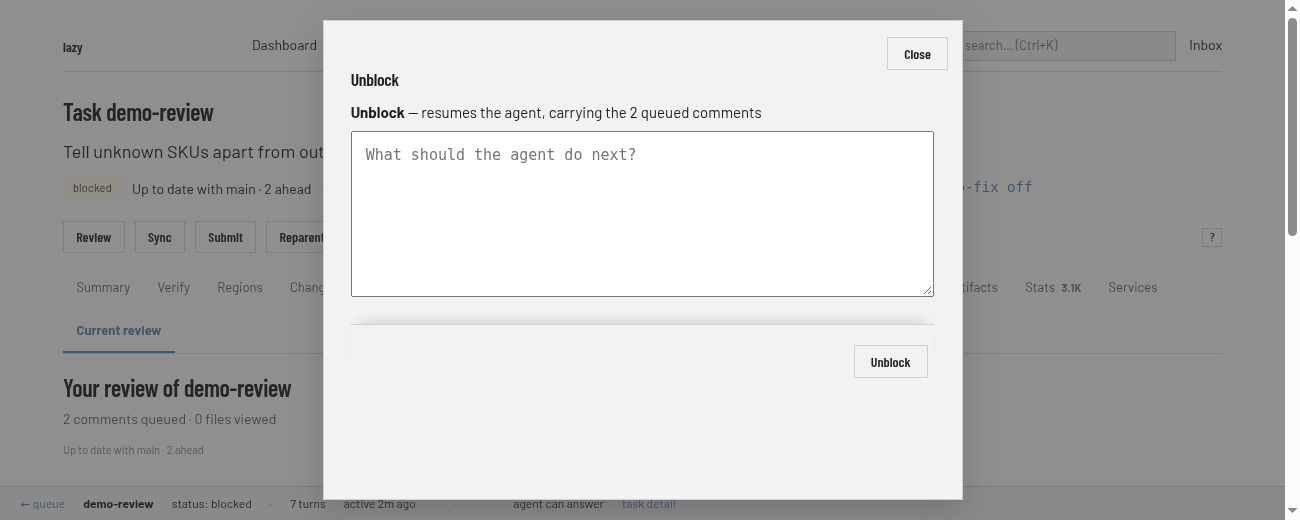
Choose Unblock. It opens a box headed "Unblock — resumes the agent, carrying the 2 queued comments" (the count is however many are queued), with a message field ("What should the agent do next?"); sending it starts the next turn. This is how you send the work back to the agent.
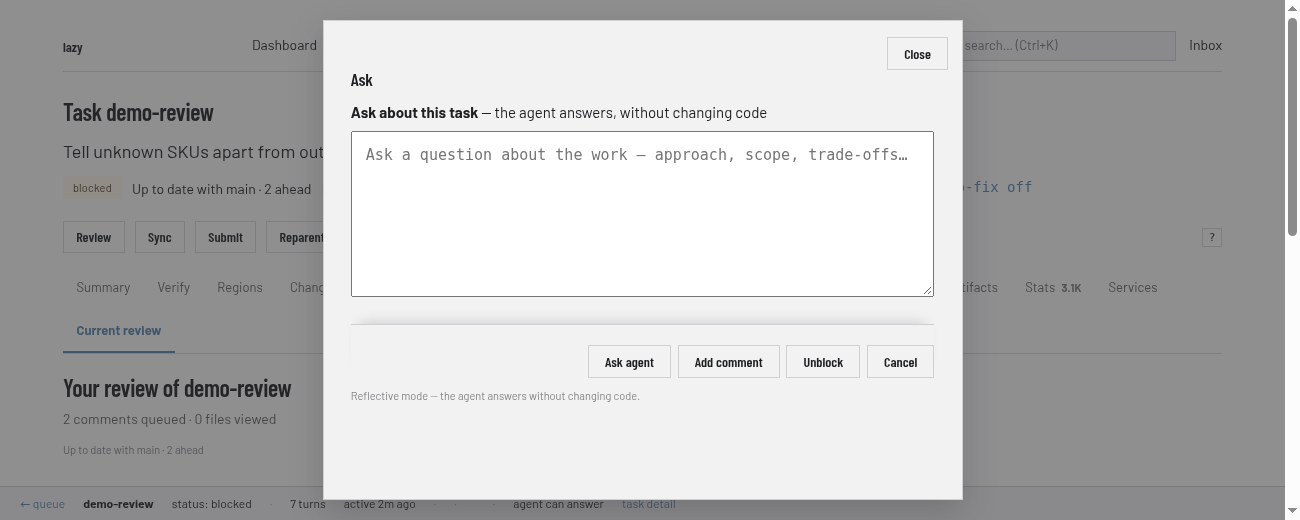
To ask a question without changing code, choose Ask. Its box says the agent answers without changing code, and has Ask agent, Add comment (saves a note instead), Unblock and Cancel.
The Comments tab has an Add comment form too. It shows each comment as queued until the agent has been shown it.
CLI
Send feedback and resume the agent:
lazy unblock add-auth --message "Add error handling for expired tokens"
The feedback comes from -f <file>, then --message/-m, then piped stdin, then $EDITOR. With no flags at all and a terminal, lazy unblock is interactive: it shows the task and lets you give feedback, accept or reject. Useful options:
--followwaits for the agent and streams its output.--model,--effortand--agentchange those for this turn and later ones: each persists on the task until you change it again. Switching the agent re-picks model and effort for the new agent unless you pass them too, and starts a fresh agent conversation only if the new agent runs a different harness.--yesskips interactive prompts.
Leave a note without starting anything:
lazy comment add-auth --message "Prefer the existing session helper"
lazy comment --edit <comment_id> replaces a comment the agent has not seen yet.
To bring the parent branch's new work into the task before you give feedback, run lazy sync <task>; unblock never merges upstream by itself.
If the agent raised questions, answer them with the same unblock: --respond-raised <id>=<text>, --dismiss-raised <id>=<reason>, --acknowledge-raised <id>, --promote-raised-subtask <id> or --promote-raised-peer <id>. They are optional on unblock; items you do not name stay open. See Raised items.
Lazy Teams
Open the task. When it is waiting for you, Give feedback has an Unblock form (Send feedback and resume) and an Ask panel. The Comments tab has Add a note (Save note) and lists comments as seen by the agent or queued for the next turn.