Project environment
The Environment tab defines variables and files that the project's tasks receive. You reach it from Settings, then Environment; it is available to project admins. For the full picture, including how secrets are handled, see Environment.
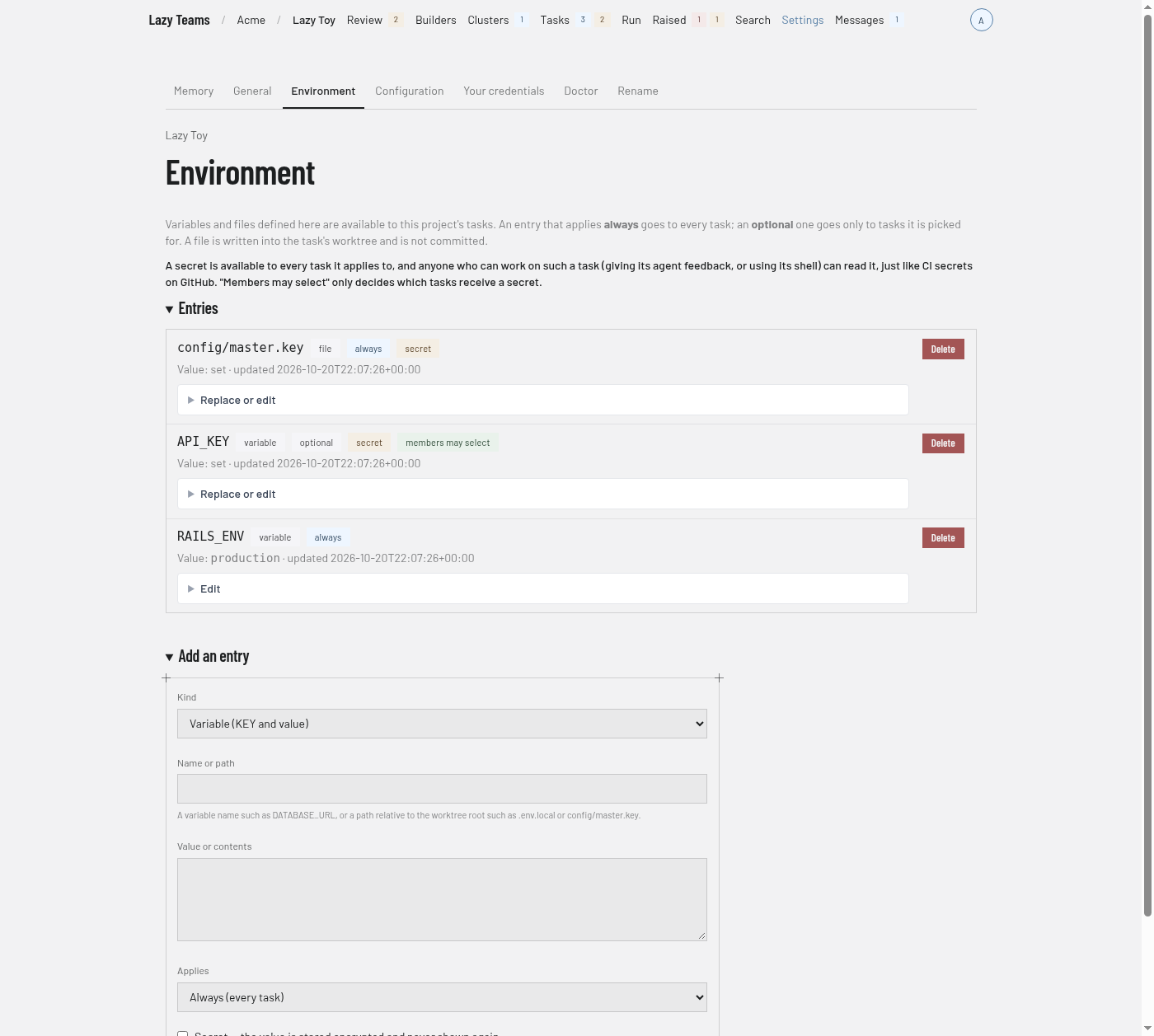
Introduction
Two paragraphs at the top explain the rules. An entry that applies always goes to every task; an optional one goes only to tasks it is picked for. A file is written into the task's worktree and is not committed. A secret is available to every task it applies to, and anyone who can work on such a task can read it.
If the project refuses the always-applied entries, a red notice says so and shows what the project said.
Entries
One row per entry. Each row shows the name or path and badges:
| Badge | Meaning |
|---|---|
variable or file |
The kind of entry. |
always or optional |
Which tasks receive it. |
secret |
The value is stored encrypted and never shown again. |
members may select |
Members may pick this optional entry for a task. |
Under the name, a variable shows its Value, a file shows its size in bytes as Contents, and a secret shows "Value: set". The time of the last update follows.
Project admins who may manage entries also get, on each row:
- Edit, or Replace or edit for a secret, which expands a form with a Save button. For a secret, leave New value empty to keep the value that is set.
- Delete, which asks you to confirm.
With no entries, the section reads "No entries yet".
Add an entry
A form with these fields:
| Field | Notes |
|---|---|
| Kind | Variable (KEY and value), or File (path in the worktree and contents). |
| Name or path | A variable name such as DATABASE_URL, or a path relative to the worktree root. |
| Value or contents | The value, or the file's contents. |
| Applies | Always (every task), or Optional (only when picked). |
| Secret | The value is stored encrypted and never shown again. |
| Members may select | For optional entries; otherwise only admins pick it for a task. |
Select Add entry to save it.