Tasks
The Tasks page lists a project's tasks as a tree. You reach it with Tasks in the project's top navigation.
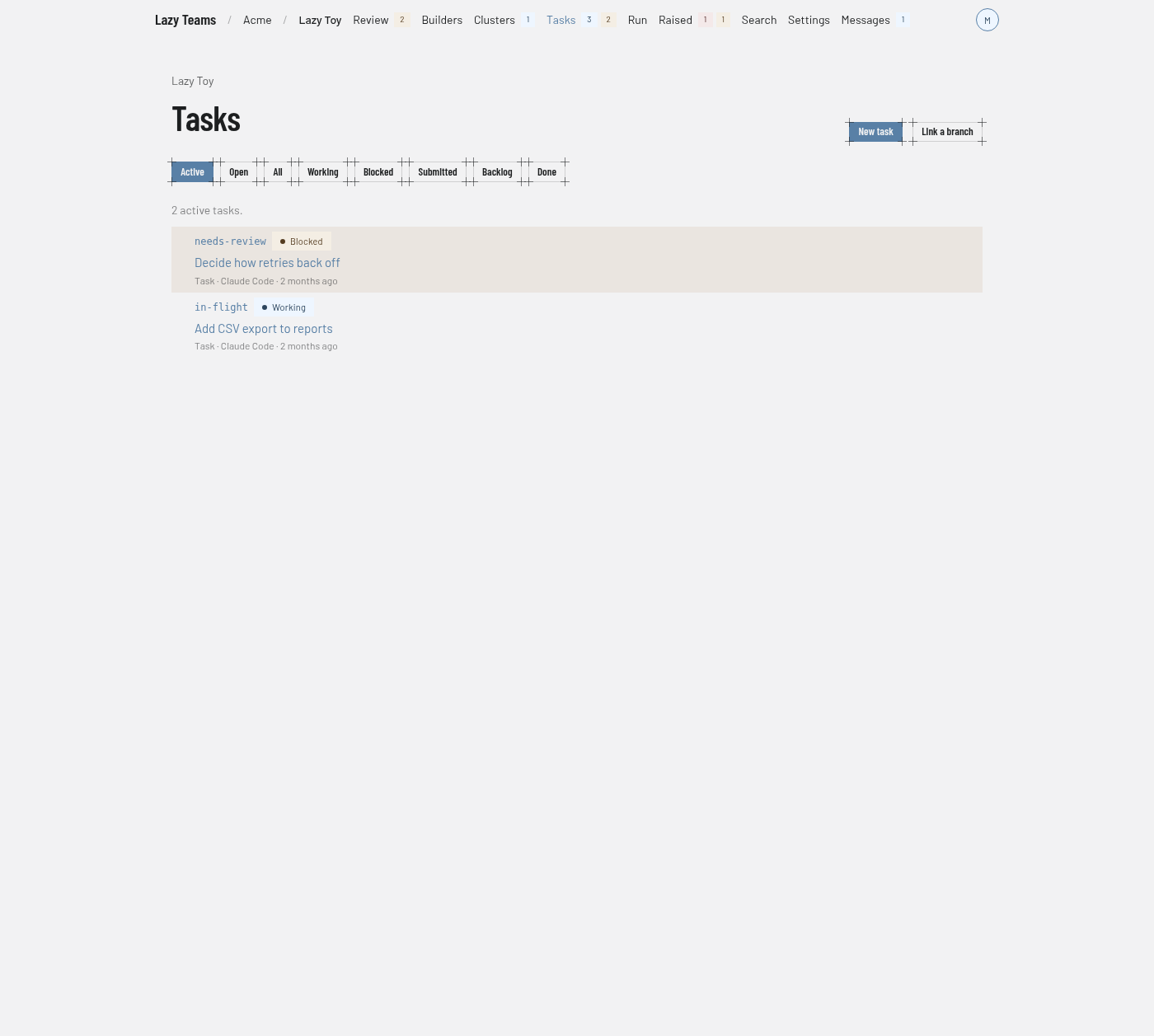
Header
The project name above the title links back to the project overview. Two buttons sit on the right of the title:
| Button | What it does |
|---|---|
| New task | Opens the new task form. |
| Link a branch | Opens the link form. |
Both appear only when the project is ready to answer. New task also needs permission to create tasks on the project.
If the project is not ready to list tasks yet, the page says so and links to the project overview.
Status filters
A row of buttons under the title chooses what the list shows:
| Filter | Shows |
|---|---|
| Active | The default. A tree of tasks that are in flight or waiting on someone. Earlier tasks appear only where they keep a descendant's place in the tree connected. |
| Open | A flat list of tasks that have not finished. |
| All | Every task, as a flat list. |
| Working, Blocked, Submitted, Backlog, Done | Tasks in that one status. Done covers completed and abandoned tasks. |
Tasks in the conflict status are listed under Blocked. See the state machine for what each status means.
The list
A line above the list counts what you are looking at, for example "2 active tasks."
Each row shows the task code, a status badge, the goal, and the task type, agent and time since its last activity. Click a row to open the task page. In the flat views you can sort by clicking a column header. The page updates on its own as tasks change.
When nothing matches, the page says so. In the Active and Open views it offers Create the first task if you can create tasks.
New task
New task opens a form with these fields:
| Field | Notes |
|---|---|
| Goal | Required. One line saying what the agent is asked to achieve. |
| Prompt | Optional. The full brief. |
| Code | Optional short handle used in URLs. |
| Type | The task type: task, fix, spike, refactor, test, audit, migrate, document, tidy, rework, feature, release or cluster. See cluster tasks. |
| Parent task | Stack the task on another one, or leave it top-level. |
| Agent, Model, Effort | Which agent runs the task and how. Leave them to use the project's defaults. |
| Files for the agent | Optional files attached as inputs the agent reads from its first turn. |
Two buttons submit the form. Add to backlog creates the task without running it. Create and start launches the agent immediately on your account.
Link a branch
Link a branch adopts an existing branch (or a pull or merge request) as a task. Enter it in the first field, optionally give a Code and a Parent task, and press Link. The task is not started. A short model run on your account reads the branch and writes the task's goal and prompt. Recent links appear below the form with their progress. See linking a branch.