Dashboard screen
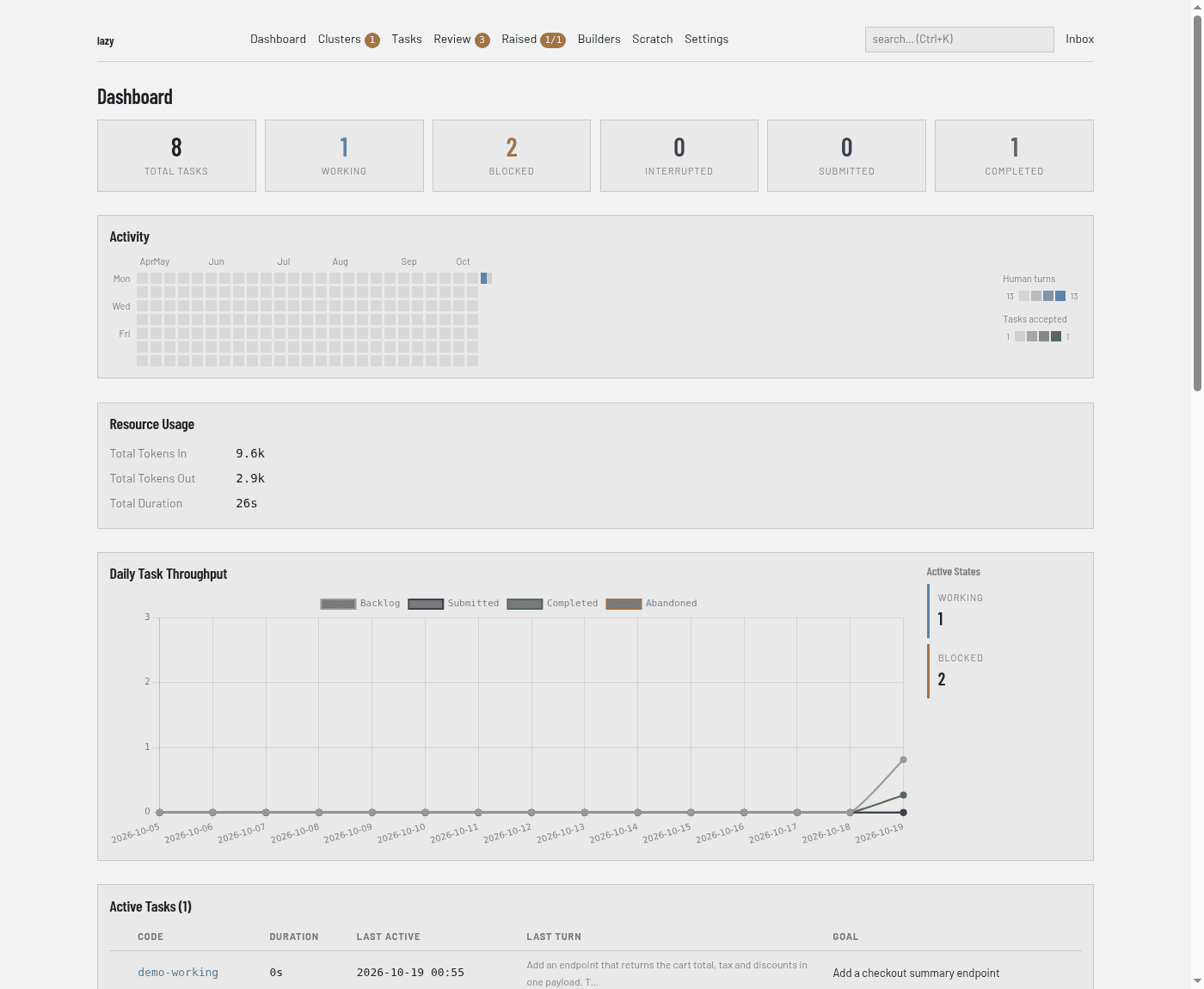
The home page of the dashboard (Dashboard in the navigation bar, address /): a summary of the project's tasks and where attention is needed.
Regions
From top to bottom:
- Counts. Six tiles: Total Tasks, Working, Blocked, Interrupted, Submitted and Completed. The Working, Blocked, Interrupted and Submitted tiles are links; each opens the task list filtered to that status.
- Status banners. A usage-pause line appears when a credential is paused or a pause cannot act for lack of a usage reading. A runner-image line appears while the project's container image is building, or has failed (with a Build it again button). Neither is shown when there is nothing to report.
- Unread Messages. Shown only when there are unread system messages: one line per message with its kind, title, source and date, and a link to open the inbox.
- Activity. A calendar heat map of recent days. Each active day has two marks, one for human turns and one for tasks accepted; a legend on the right explains the shading. Hover a day for its numbers, or click it to see that day's human turns, agent turns and tasks accepted.
- Resource Usage. Total tokens in, total tokens out and total duration across the project's tasks.
- Daily Task Throughput. A line chart of tasks per day by outcome (Backlog, Submitted, Completed, Abandoned). Beside it, Active States lists how many tasks are Working, Blocked, Interrupted, Merging, Pairing or Submitted, or says there are none.
- Active Tasks. Tasks whose agent is running: code, duration, last activity, a preview of the last turn and the goal.
- Needs Attention. Blocked tasks: code, status, last activity and goal, with a review → link to the task page.
- Recently Created (last 24h). Tasks created in the last day, with status.
- View all tasks. A link to the task list. A project with no tasks shows a short prompt to create one instead.
- Token budget. When usage readings or recorded turns exist, a box at the bottom shows, per credential window, how much is used, tokens spent, an estimate of what is left and when the window resets, plus the last seven days of spend by harness. See Token budgets.
The Active Tasks, Needs Attention and Recently Created sections appear only when they have rows.