Task
The task page is where you read one task, give its agent feedback and decide whether to accept it. You open it by clicking a task in Tasks, the review queue or clusters.
For how to review a task, see reviewing a task. For what each status means, see the state machine.
Header
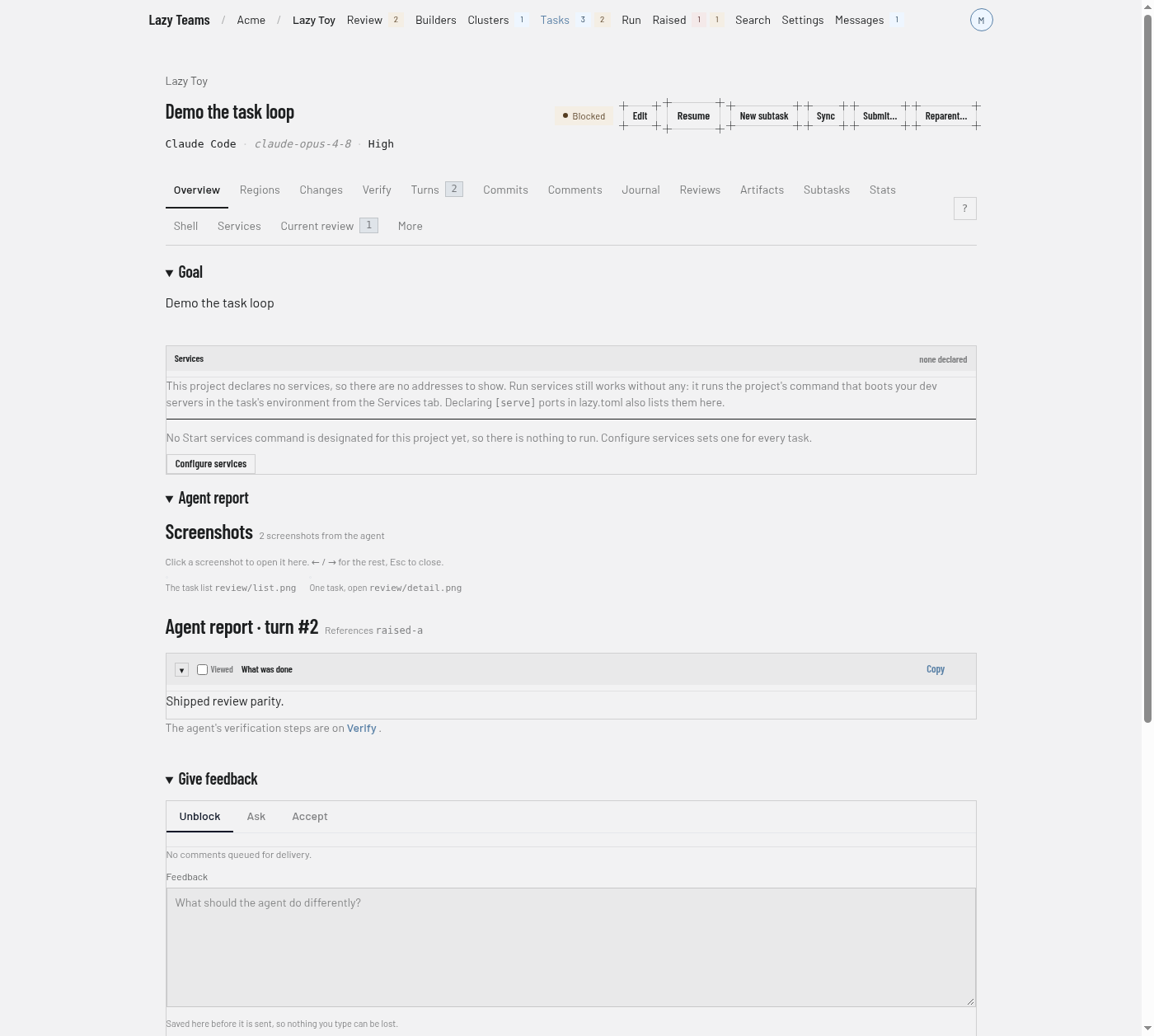
The header shows the task's goal as the title, with the project name above it linking back to the project overview. Beside the title are the task's status badge, plus Stopped or Failed badges when they apply, and a link to the pull or merge request once the task has one. Under the title, a line names the agent, the model and the effort level the task runs with.
For a cluster task, a progress line sits under that.
The header buttons depend on the task's state and on what you may do on the project, so you see only some of them at a time:
| Button | What it does |
|---|---|
| Edit | Edits the task's fields. |
| Start | Gives a backlog task its first turn. |
| Restart | Puts an interrupted or stalled task back to work. |
| Resume | Asks the agent to carry on with what it already has. |
| New subtask | Opens the new task form with this task as the parent. |
| Sync | Brings the parent's work into this task. |
| Submit… | Opens a confirmation page for opening a pull or merge request. |
| Reparent… | Opens a page for moving the task under a different parent. |
Accept, Reject and Close are not in the header; they are in the action area at the bottom of the page.
Banners
Above the tabs, banners explain the task's state when something needs saying: the task has not started, was interrupted, failed, is waiting for a person, or could not be started. They are shown only when they apply.
Tabs
A strip of tabs sits under the header. Counts appear on a tab when there is something to count.
| Tab | What it shows |
|---|---|
| Overview | The goal, the services the task serves, and what the agent's last turn reported. |
| Regions | The change carved into units of work, each with its own files and owner. |
| Changes | The diff the task's branch carries, and the conversation about it. |
| Verify | The agent's verification steps for its latest turn, each with a Verified tick. |
| Turns | The conversation: each message and the agent's reply, with lazy's own turns folded away; All turns shows every review chunk. See the conversation view. |
| Commits | What the task's branch recorded, newest first. |
| Comments | Notes to the agent, saved now and delivered with the next feedback. |
| Journal | The rationale, decisions and deferred items the agent recorded. |
| Reviews | Formal reviews an agent ran on the task's own work. |
| Chat | Questions people asked the task's agent and its answers, and a box to ask the next one. See Chat. |
| Artifacts | Files attached for the agent to read, and files it published back. |
| Subtasks | Tasks stacked on this one, grouped by where they stand. |
| Stats | Where the time and the tokens went, per turn and per tool. |
| Shell | Terminals in the task's own environment, and the Watch panel. |
| Services | What the task serves, its environment, and the project's Start services command. |
| Current review | What stands between the task and accept: the checklist, queued comments and what the agent raised. |
| More | The prompt, details, diagnostics and the less common things to do with the task. |
The ? button at the right end of the strip opens the keyboard shortcut legend.
Chat
Chat is a conversation with the task's agent. Type a message and Send: the agent answers from the same session that did the work, so it remembers the task and everything asked before. Only your words and its answers are shown, with each message's time and turn number; a question still waiting for its answer says so, and the answer appears without reloading the page.
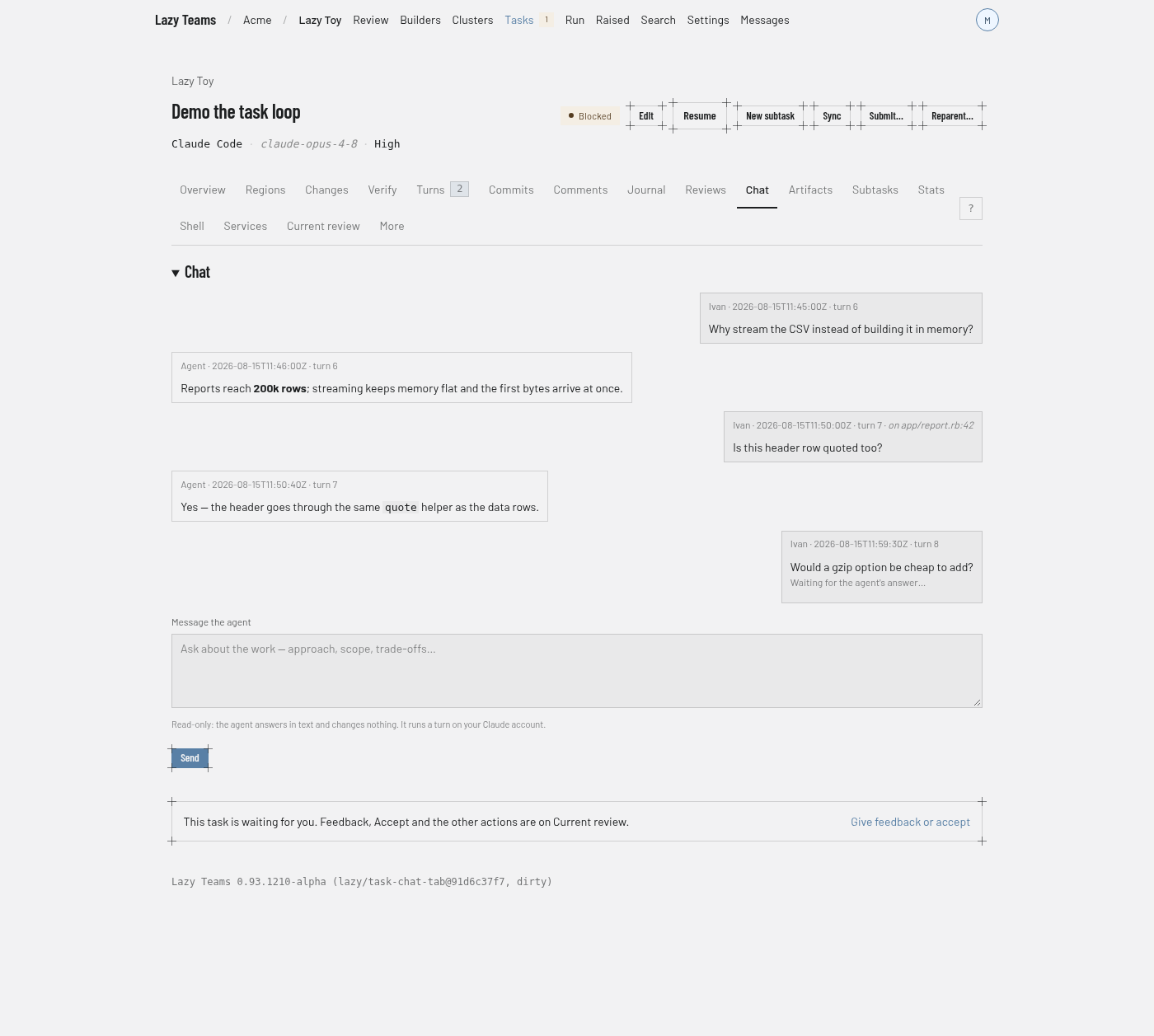
A chat message is read-only. The agent answers in text, changes no code and starts no work, and the turn runs on your own connection for the task’s agent profile — Claude Code, Codex, Cursor or Pi. A message sent while the agent is in the middle of a turn waits, marked Waiting for the agent to finish its turn, and is sent as soon as that turn ends — still read-only, still on your account. To have the agent act on something, send feedback from Current review.
Ask stays where it was — on Current review, on a line of the diff and on the agent's report. A question asked from Current review opens Chat; one asked on a line or the report stays there and also appears in Chat, and each of those conversations has an Asked in Chat → link. A task that has ended is answered from what lazy recorded about it, and the answer says so.
The conversation view
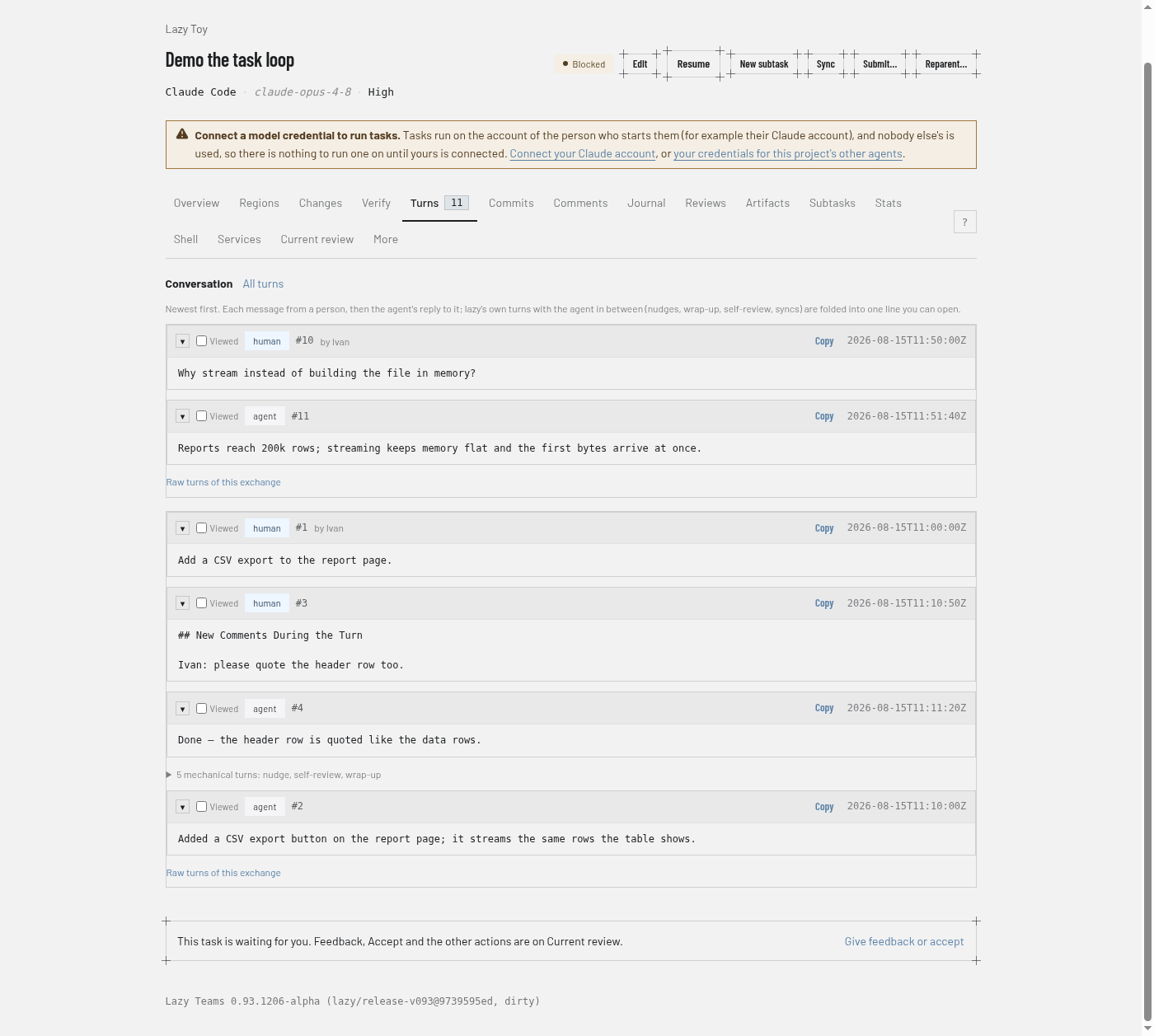
Turns opens on the conversation, newest exchange first: each message from a person, then the agent's reply to it. The turns lazy adds in between (nudges, self-review, wrap-up, syncs) are folded into one line that you can open, and Raw turns of this exchange lists every turn. All turns switches to the full list of review chunks. Current review shows the agent's reply where you asked.
On a phone the same view stacks in one column.
Action area
Under Overview and Current review the page ends with an action area. What it holds depends on the task's state and on what you may do on the project.
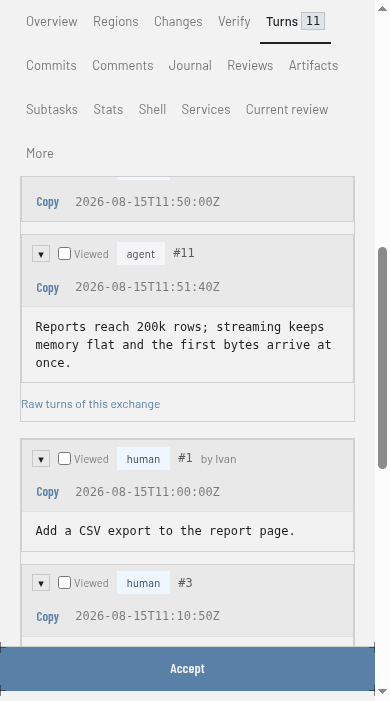
- While the task is waiting for a person and you may answer it, the area is headed Give feedback and has three tabs: Unblock, Ask and Accept. Unblock is a box for feedback to the agent, saved as you type so nothing you write is lost, with a Send feedback and resume button. Ask is where you ask the agent about the task. Accept says "Merge this work into its parent." and has an Accept… button that opens a confirmation page. See reviewing a task.
- Under it, a Decide section holds Accept. Rejecting and closing are folded away: Reject the work and a matching close control each expand with an explanation before you confirm.
- Otherwise the area shows only what applies: Ask about this task, End this task, Reopen this task for a finished task, or Stop this task while the agent is working.
On every other tab, a line says the task is waiting and links to Current review instead.